unofficial SVE Simulator

Overview
unofficial SVE Simulator is an unofficial digital simulator for the physical TCG Shadowverse: Evolve. It's meant to let players to play matches against other players without needing a webcam setup, whether for fun or for competitive practice, and to make it easier to test and try out new decks or unreleased cards.
The app is not officially associated with the actual TCG or its copyright owners at all, but since there's no digital version of the TCG (the physical TCG is unique from the digital game it's based on), there is a player demand for ways to play the game digitally.
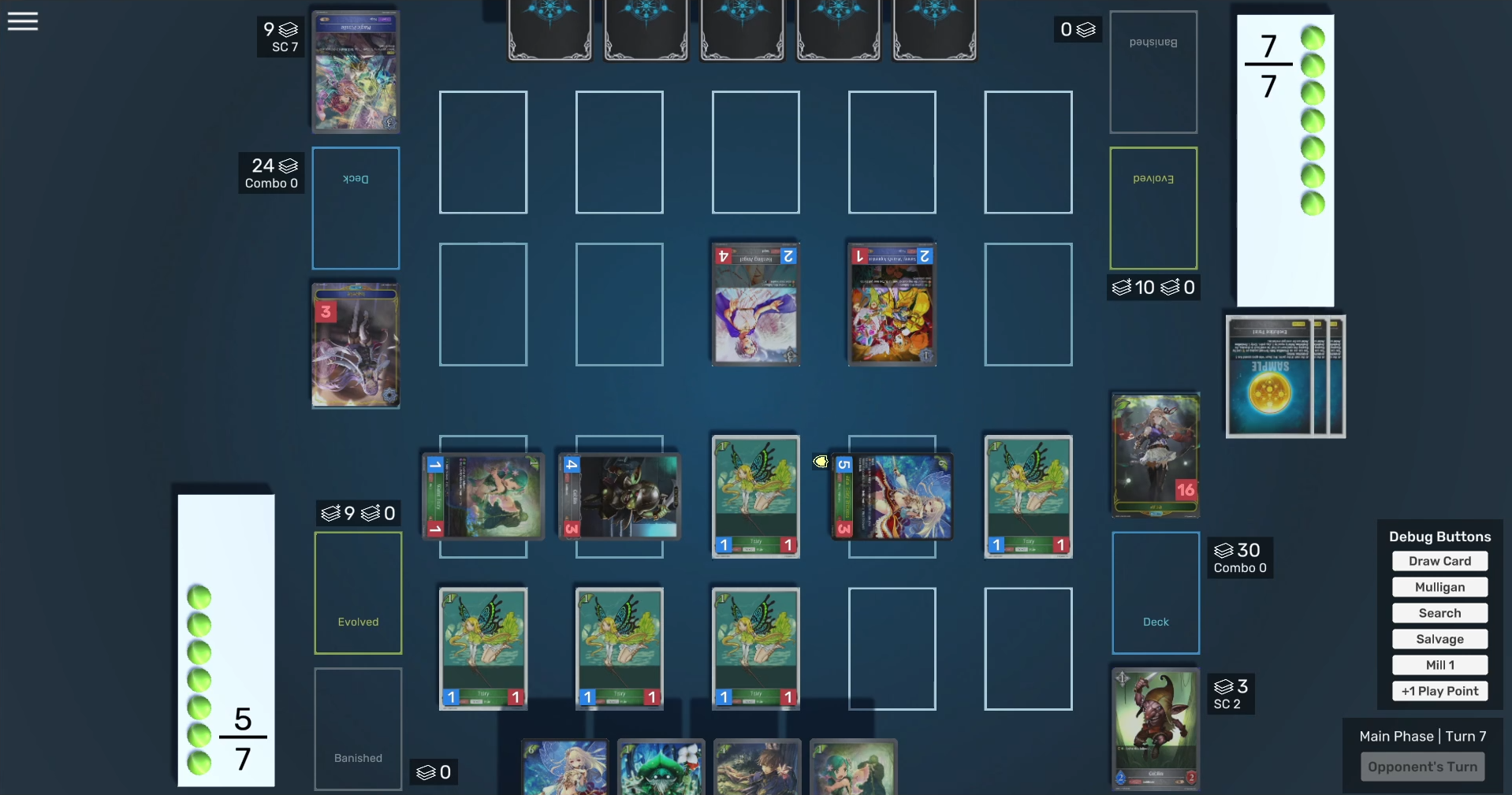
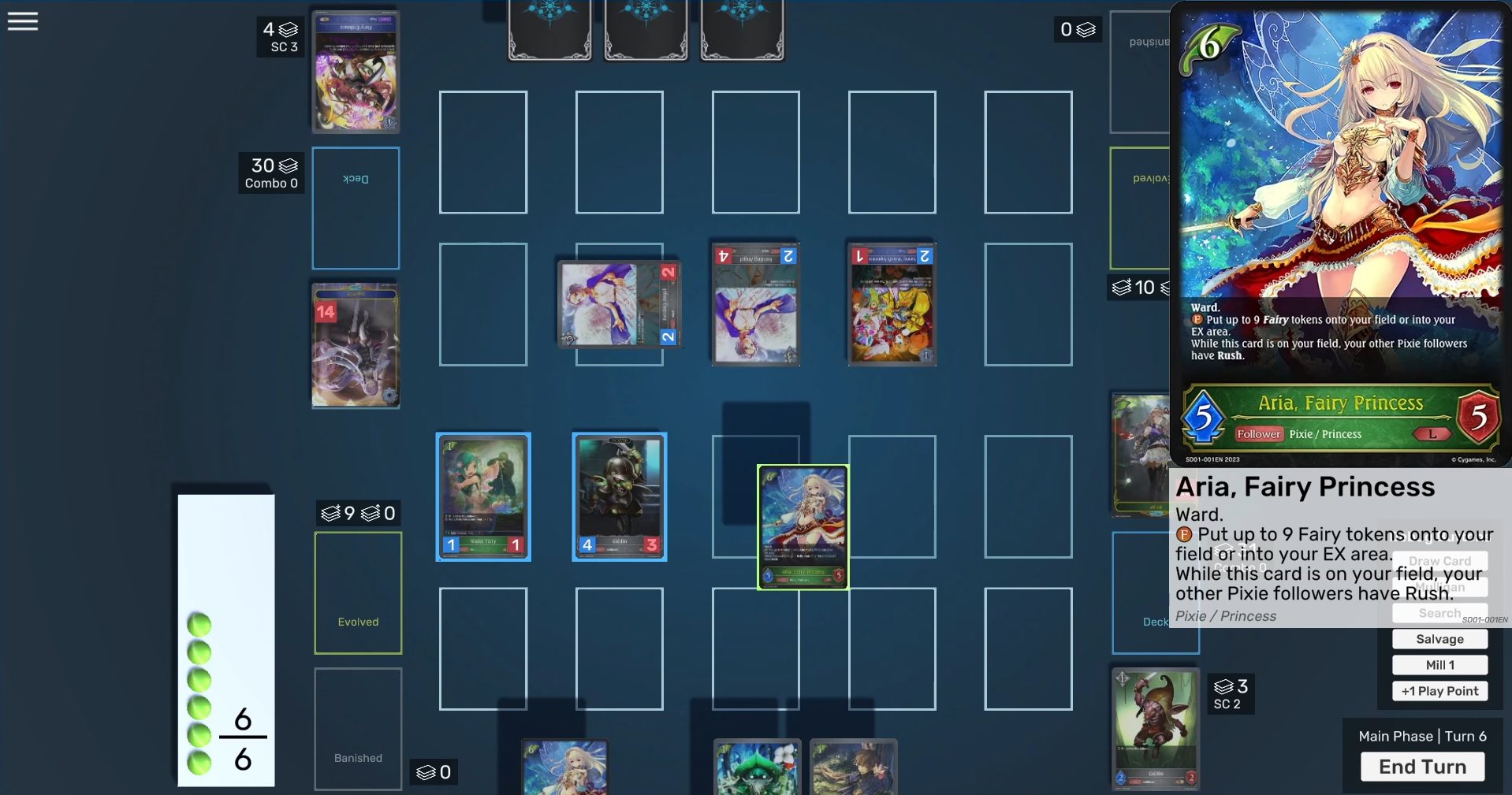
The game is very light in the graphics department due to priorities—because the main purpose is to let players play and practice the game, and there are thousands of cards to add, graphics and polish are on the backburner until those are done.
This started as a solo project at the request of a friend, but after the groundwork was complete, it was opened up to allow for community contributions (mainly for card data and implementation).
The app is developed using Unity, with online multiplayer implemented via Mirror and Steamworks. CCG Kit, a framework from the Unity asset store, is used as a base for the project infrastructure, although only some parts of it are used due to its limitations.
The full list of plugins used is:
- CCG Kit - base framework
- Mirror - netcode
- Fizzy Steamworks - netcode
- Odin Inspector - improved formatting and tools in the inspector
- DOTween - tweening utility
- AVIF Loader - image asset handling
The Card Database
As of the time of writing, the card database currently has over 600 cards, spanning the first 4 sets of the game. The end goal is to have all 20+ currently released sets, totaling well over 4000 cards, and adding any and all new sets as they come out.
The database is stored using CCG Kit's data format, using a JSON file containing all cards and the necessary info. This includes:
- Stats - Info that changes at runtime, such as Attack and Defense
- Properties - Info that is constant and cannot change, such as names or traits
- Costs - The costs required to play this card, such as play points (the equivalent of mana)
- Abilities - The various abilities and effects a card has and can perform
Card stats and properties are defined in separate JSON files, while costs and abilities are custom classes that can each have their own fields.
SVE Script
In order to easily implement new cards and maintain the database, a custom language and parser was created, dubbed "SVE Script".
The script for each card has three main parts:
- Header - Defines basic card info, such as its name, ID, cost, etc.
statsis a shortcut for defining Attack/Defense in one line- Different card types have different info, i.e. Followers (equivalent of creatures or monsters in other games) have attack and defense, while Spells don't
- Text - The text on the card
- Body - Defines the unique functionality of each card
keyword(s)- Core game keywords that are on the card, such asRushorWard- Some basic abilities or properties are defined here as custom keywords, even though they aren't actual keywords in the game, such as
CannotAttackorDoesNotTakeDamage
- Some basic abilities or properties are defined here as custom keywords, even though they aren't actual keywords in the game, such as
ability- The abilities this card has- Each ability has, at minimum, a
trigger(when this ability is used) and aneffect(what the ability does, including any parameters and what it can target, if applicable) - Additional info can also be defined here, such as the ability's
cost(s)or acondition(requirements for this ability to be used)
- Each ability has, at minimum, a
id BP01-001;
class Forest;
type Follower;
trait Verdant;
rarity L;
cost 8;
stats 7/7;
text "[fanfare] Select any number of Pixie followers in your EX area and transform them into Thorn Burst tokens.
[act][engage]: Recover X play points. X equals the number of Thorn Burst tokens in your EX area.";
ability Fanfare {
effect Transform(Thorn Burst) to TargetPlayerCardEx Ft(Pixie)m(0,5);
}
ability Act {
cost (EngageSelf);
effect GiveStat(PlayPoints, x(Kn("Thorn Burst"))) to Self;
}
There's also a text data file paired with each script. This contains the text that appears for each individual ability (each ability is only part of a card's full text), and also provides the infrastructure to support different languages in the future by loading different text data for each language.
Full detailed documentation on how to use the script, including lists of all possible fields and parameters, is available on the project's GitHub Wiki.
"id": "BP01-001EN",
"name": "Rose Queen",
"trait": "Verdant",
"cardText": "[fanfare] Select any number of Pixie followers in your EX area and transform them into Thorn Burst tokens.\n[act][engage]: Recover X play points. X equals the number of Thorn Burst tokens in your EX area.",
"effectText": [
{
"key": "Fanfare",
"trigger": "[fanfare]",
"body": "Select any number of Pixie followers in your EX area and transform them into Thorn Burst tokens."
},
{
"key": "Act",
"trigger": "[act]",
"cost": "[engage]",
"body": "Recover X play points. X equals the number of Thorn Burst tokens in your EX area."
}
]
}
Custom Values and Filters
Many card abilities use numbers that aren't constant and depend on the current game state, such as "this card's attack" or "the number of X on your field." To easily and quickly use these values, SVE script has custom formatting for numbers, dubbed Value Functions, which are parsed at runtime using the current game state.
Regular numbers are parsed as normal, but letters and symbols are parsed as dynamic values. Value functions also natively support conditionals, allowing for rapid "if-else" values to be defined in just a few characters, as well as basic arithmetic. For example:
A- This card's attackf(<filter>)- The number of cards on the player's field, matching the given filter (see below)1c(3)4- 1, or if Combo (3), then 4 (the if-else order here matches the word order on cards)D+2- This card's defense + 2
Similarly, there are Filter Functions, which are used in both value functions and effect targeting to filter out valid targets. These look similar to value functions, albeit with their own separate syntax, and multiple filters are defined in one block. These are also parsed at runtime.
F- Followers onlyFt(Pixie)- Followers with the "Pixie" traitFa(m(1,4))- Followers with an attack stat of `min 1, max 4FKm(0,3)- Token followers, with a minimum of 0 targets and a max of 3 (for effect targeting only, not for value functions. No min/max defined means exactly 1 card is targeted)
Running the Game & Networking
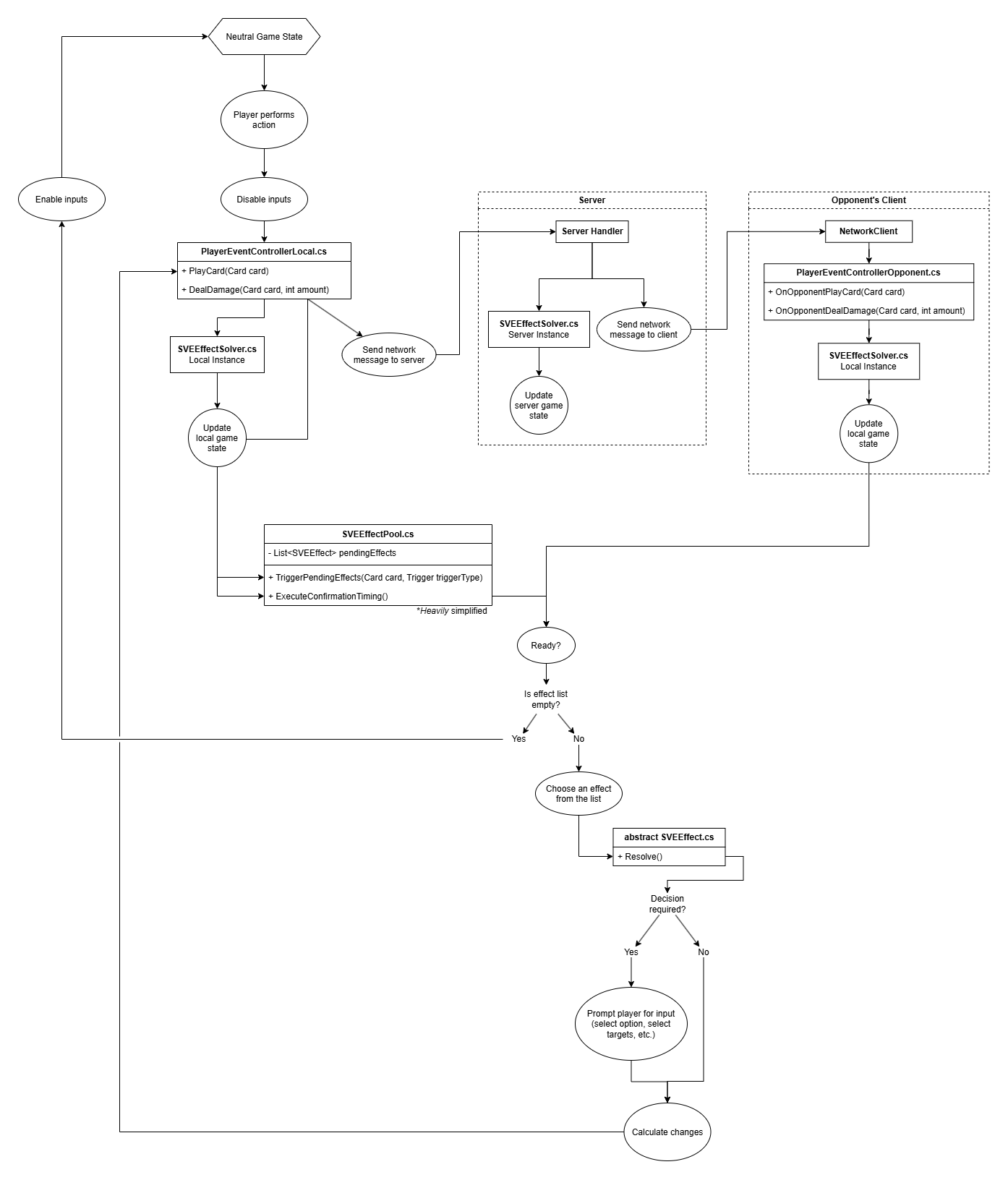
To reduce the amount of data sent on the network, the server and each client each have their own separate game states, and only updates to the game state are sent between users, instead of the full game state being shared constantly.
The general technical flow of the gameplay loop roughly goes like this:
- During a player's turn, they can perform actions like playing a card or activating certain abilities
- The corresponding function (such as
PlayCard()) is called on theEventControllerLocal, which updates the game state using theEffectSolver - The effect solver updates the local game state and calls several effect triggers, which adds any corresponding effects to the
EffectPool - The
EventControllerLocalsends a network message to the server- The server updates the server's game state using its own
EffectSolver - The server sends a message to the opposing player, who handles it using their
EventControllerOpponent, and updates their local game state their localEffectSolver
- The server updates the server's game state using its own
- After all game states are updated, the
EffectPoolresolves each effect (owned by the local player) one by one, with the player choosing the order- If any decisions are to be made, such as what cards to target for an effect, that occurs here during an effect's
Resolve() - Each effect calls a function on the
EventControllerLocal, sending network messages and activating more triggers
- If any decisions are to be made, such as what cards to target for an effect, that occurs here during an effect's
- After the local player finishes, the opposing player repeats for any of their pooled abilities
- When the
EffectPoolis empty and both players are ready, the game returns to a neutral state and returns control to the turn player